- use cow milk at refrigerator temperature (about 4°C).
- Please clean your Rapid Cappuccino System(R.C.S) every time after milk recipe (please refer to “hand wash of Rapid Cappuccino System(R.C.S)”).
- Please descale the machine.
- Please do not use frozen milk.
- Make sure air-inlet part cleaned.
QA
Quality of milk froth is not up to standard
No button indicator, machine fail to power ON
Check main power, power cord, voltage and fuse. If still have this issue, please contact Nespresso.
No coffee or water comes out
- Check the water tank, please fill water into it if not enough water.
- Need to release pressure if a long period of non-use or new machine.
- Please descale the machine if necessary.
Cup quantity not normal, less or more.
- Reset to factory setting.
- Reset cup quantity if you did it before.
- Please descale the machine if necessary.
The coffee flow rate is very slow or intermittent
- Related with different type of capsule(more strong taste, less coffee flow rate).
- Machine enter to DESCALING mode.
- Voltage not stable.
- Water inlet filter deformed or blocked because of hot water.
- Repeat brewing with same capsule which maybe cause coffee outlet blocked.
Coffee is not hot or abnormal temperature
- Make sure machine not enter to DESCALING mode.
- Ambient temperature is low (please warm up the cup first)
- Please descale the machine if necessary.
Water goes to the capsule container
- Make sure to use Nespresso capsule and the appearance not deformed.
- Please insert capsule into correct position. If still have this issue, please contact Nespresso.
The indicator blinks irregularly
- NTC or TCO problem
- Please contact Nespresso.
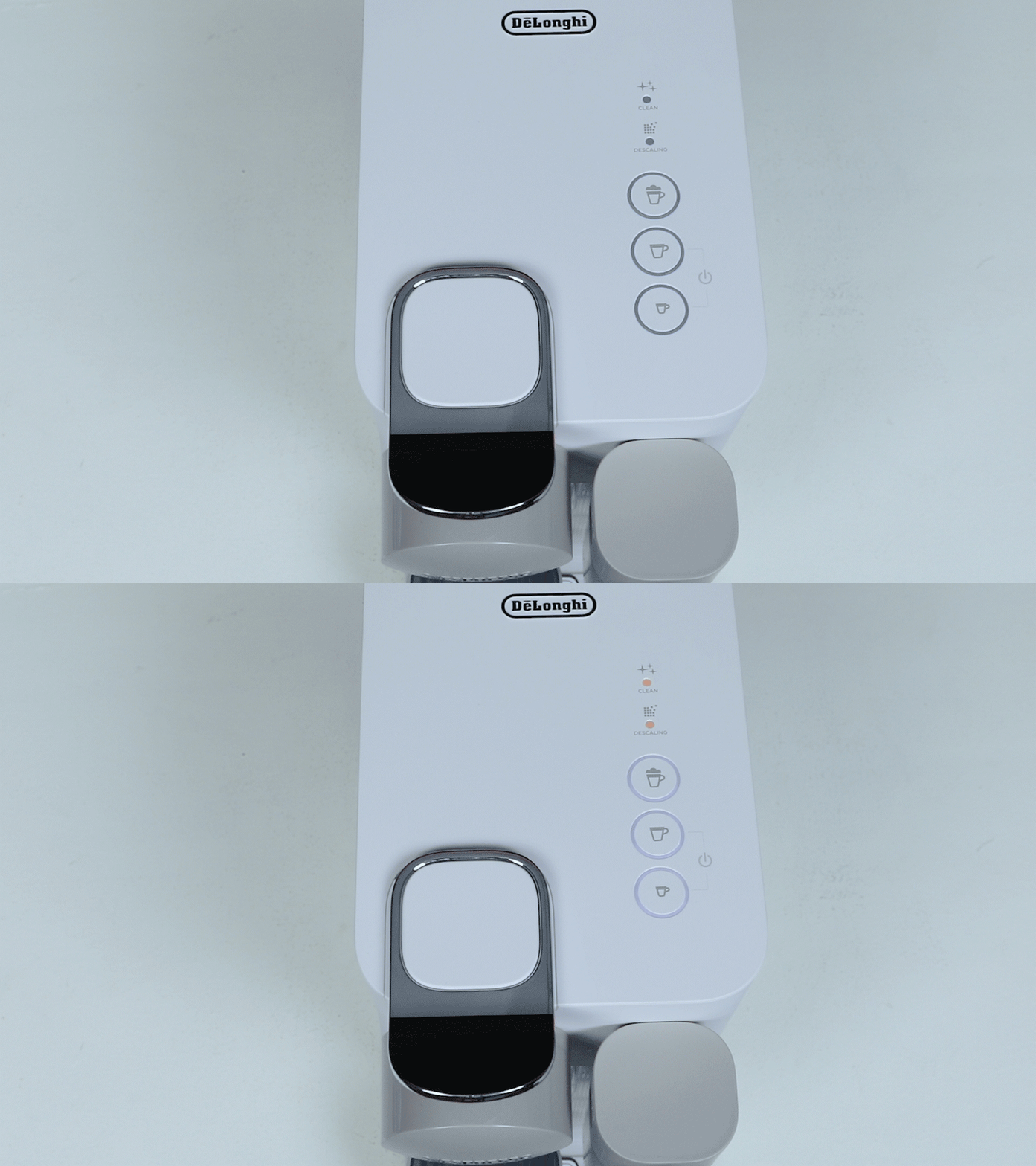
- CLEANING and DESCALING alert blink
- Machine in Menu mode. The Menu mode exits automatically after 30 sec if no actions are performed. It can be exit manually by pressing the milk button for 3 seconds.
- DESCALING alert blink orange
- Please descale the machine if it reach alert level of decaling mode.
- DESCALING alert blink orange and Espresso indicator blink white
- Machine in DESCALING mode, please press Espresso button to start process of descaling.
- CLEANING alert blink orange
- Please remove Rapid Cappuccino System(R.C.S) and cleaned by dishwasher. If no dishwasher, please refer to “hand wash of cleaning Rapid Cappuccino System(R.C.S)”.
- All coffee & milk button blink alternately
- Over heated for machine, please cool down the machine first.
- appliance will be blocked for approximately 10 minutes after emptying.
Lever can not closed completely
Empty the capsule container. Make sure no blocked capsule inside.
Can not enter Menu mode
- Make sure Rapid Cappuccino System(R.C.S) has been removed.
- Make sure press the milk button at least 3 seconds
- Please remove descaling tube.
Milk system not work
- At least 30ml milk filled into milk tank.
- Not work if milk tank filled with water.
- The milk system has not been designed to work with vegetale milk (rice, etc).
Can not remove Rapid Cappuccino System(R.C.S)
- Press the button on the side of the milk jug to remove the parts.
- Refer to section “Assembling / Disassembling of Rapid Cappuccino System”.
Noise when machine is working
Make sure the machine is placed on a flat surface(If placed on a partition or a very thin surface, it will cause resonance and produce a lot of abnormal noise).
Switch off machine
Press Espresso and Lungo button for 2 seconds.